
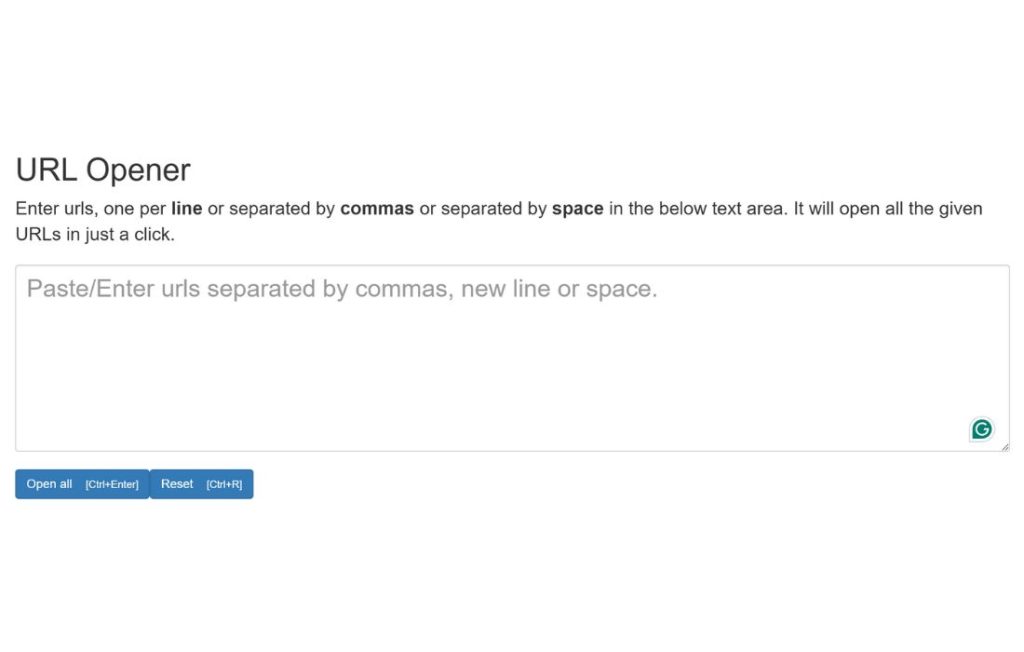
In today’s digital age, managing multiple links and URLs is a common challenge. Whether you’re browsing through various websites or working on a research project, opening and navigating through a series of URLs can become tedious. This is where the need for an efficient and reliable URL opener tool comes into play.
A URL opener is a tool designed to help you quickly access multiple URLs at once with RR SEO Experts. Whether you’re dealing with a list of links or just need a faster way to navigate through web pages, a URL multi opener can streamline your browsing experience.
Why Use a URL Opener?
The main advantage of using a URL multi opener is its ability to save time. Rather than opening each URL individually in separate tabs, a URL opener allows you to input multiple URLs into a single tool. From there, the tool opens each URL in its own tab or window, offering you an efficient way to access all the links without the hassle of manually opening each one.
A URL opener is beneficial for those who frequently work with large lists of links, whether for research purposes, marketing, or even browsing multiple sites for leisure. It can help you reduce the time spent managing tabs and links and improve overall productivity.
How a URL Opener Works
The functionality of a URL opener is simple yet effective. You typically enter your list of URLs into the tool, which then opens them in separate browser tabs or windows. Some advanced URL opener tools even provide features like batch processing, where you can save URL lists for later use, customize how the links are opened, or manage your opened tabs more efficiently.
This kind of tool is ideal for users who regularly access several links for work or personal use. For example, marketers can use a URL opener to check multiple landing pages simultaneously or researchers can view several academic papers at once.
Benefits of Using a URL Opener
- Increased Efficiency: With a URL opener, you can quickly open multiple links at once, saving valuable time when working with numerous URLs.
- Simplified Workflow: Whether you’re browsing a collection of research links or managing social media content, a URL opener streamlines the process by handling the opening of all URLs in one go.
- Convenience: With an intuitive interface, most URL multi opener tools are easy to use and require minimal effort to get started. You simply input your list of URLs, and the tool takes care of the rest.
- Improved Productivity: For those working on tasks that require frequent access to different websites, a URL opener can help increase productivity by allowing simultaneous access to all required pages without the need for constant tab switching.
- Avoids Tab Overload: By utilizing a URL opener, you can avoid overcrowding your browser with excessive open tabs. Instead, you can open only the essential pages and avoid clutter, leading to a cleaner, more organized browsing environment.
Choosing the Right URL Opener Tool
When selecting a URL opener, it’s important to consider a few key features that will meet your needs. First, the tool should support batch processing if you need to open large numbers of URLs at once. It should also allow for customization, such as the ability to choose whether URLs are opened in new tabs or windows.
Moreover, ensure that the URL multi opener is compatible with your browser. Most tools work with popular browsers like Google Chrome, Mozilla Firefox, and Microsoft Edge. Additionally, some tools offer browser extensions, making it even easier to open URLs with a single click.
Another factor to consider is security. Opt for a URL link opener that respects your privacy and doesn’t track or store your browsing data. Since you’re opening multiple links at once, it’s important to choose a trustworthy tool to avoid exposure to unnecessary risks.
Common Uses of a URL Opener
A URL opener can be useful in a variety of scenarios. Here are some of the most common uses:
- Research Projects: When working on a research project, you may need to access a variety of academic articles, papers, or resources. A URL opener helps you view all the relevant material without having to open each link manually.
- SEO and Marketing: Marketers often need to monitor multiple pages at once, such as checking landing pages or verifying links in social media posts. Using a URL multi link opener can simplify this process, enabling them to view all pages simultaneously.
- Online Shopping: If you frequently shop across multiple online stores, a URL link opener can help you quickly view product pages or track discounts and deals.
- Social Media Management: Social media managers who handle several accounts may need to open links to various posts or websites quickly. A URL opener can help manage these links more effectively, boosting productivity.
Advanced Features of a URL Link Opener
Some URL opener tools come with advanced features that cater to more complex use cases. For instance, some tools allow you to automate the opening of URLs based on certain criteria, such as opening a list of URLs at specific times of the day. Others may allow you to export your URL lists, making it easier to save and reuse them for future sessions.
Conclusion
A URL opener is a simple yet powerful tool that can significantly improve your browsing experience. By enabling you to open multiple URLs at once, it saves time, increases productivity, and helps you stay organized. Whether you’re a researcher, marketer, or someone who frequently works with multiple links, a URL multi opener is an essential tool to have.
Make sure to choose a reliable, secure URL opener to ensure the best experience and efficiency in managing your links.
1 thought on “URL Opener: Your Ultimate Tool for Effortless Link Access”
Comments are closed.